
Quick answer: Treat your AI sidebar like a workbench, not a filing cabinet. Create one Project per ongoing job, start one chat per outcome, rename it the minute it ships, put standing rules and reference files in the Project, and copy anything worth keeping into your own notes or docs. ChatGPT and Claude both do this — they just share context differently.
Skip this if you only ask one-off trivia. Keep reading if your history is a scroll of “Untitled” and you can’t find last week’s draft.
Three rules that actually stick

- One Project per ongoing job — newsletter, client, hiring loop, product area. Not one giant “Work” Project that becomes a second junk drawer.
- One chat per outcome — OpenAI’s own Projects guidance: start a separate chat for each distinct outcome so results stay focused while the Project keeps shared context. Rename it (“Q3 launch brief,” not “chat 14”).
- Keepers live outside the app — final drafts, decisions, and checklists go to Docs/Notion/Markdown. The sidebar is for work in progress.
That pairs with a weekly research → draft → edit loop. This post is the filing system; that one is the calendar.
ChatGPT vs Claude Projects (the difference that bites)

| ChatGPT Projects | Claude Projects | |
|---|---|---|
| What it is | Workspace for chats, files, instructions, and project memory (OpenAI Help) | Self-contained workspace with its own chat histories and knowledge base (Claude Help) |
| Cross-chat context | Project chats/files can inform later chats in the project (esp. with memory) | Context is not shared across chats unless it’s in the project knowledge base |
| Free plan | Projects available; Help lists 5 files per project | Projects available; Help lists max 5 projects |
| Paid scale | Go/Plus 25 files; Edu/Pro/Business/Enterprise 40 (Help) | Paid plans can auto-enable RAG when knowledge nears context limits (~10× capacity) |
| Sharing | Sharing available broadly; shared projects lock to project-only memory | Team/Enterprise sharing; chats stay private unless you share them |
My pick: ChatGPT Projects when the same room should feel continuous across many chats. Claude Projects when you want a deliberate document corpus and clean chat boundaries — put the durable facts in knowledge, not in chat #1’s memory of chat #1.
Setup in 15 minutes
ChatGPT
- Sidebar → Projects → new project → name the job, not the mood.
- Add standing instructions (audience, tone, “never invent sources”).
- Upload the few files you reuse every week (cap by plan — Free is tight).
- For sensitive threads, prefer project-only memory when available; shared projects force project-only (OpenAI Help).
- Start a new chat per outcome; pin or archive when done (Learn docs).
Claude
- Go to
claude.ai/projects→ + New Project. - Set project instructions once.
- Upload knowledge with + on the project page — this is what every chat can see.
- Open a fresh chat inside the project for each deliverable.
- Star active projects; archive finished ones (Help: archive doesn’t wipe sharing — revoke access separately if needed).
Standing instructions (steal this)
You are my partner for [JOB].
Audience: [who reads the final].
Tone: clear, direct, no hype.
Always: separate facts from suggestions; mark guesses [VERIFY]; ask one clarifying question if a decision is missing.
Never: invent metrics, quotes, or sources; ask for passwords or private customer data.
Default output: tight bullets unless I ask for prose.
Naming that makes search work
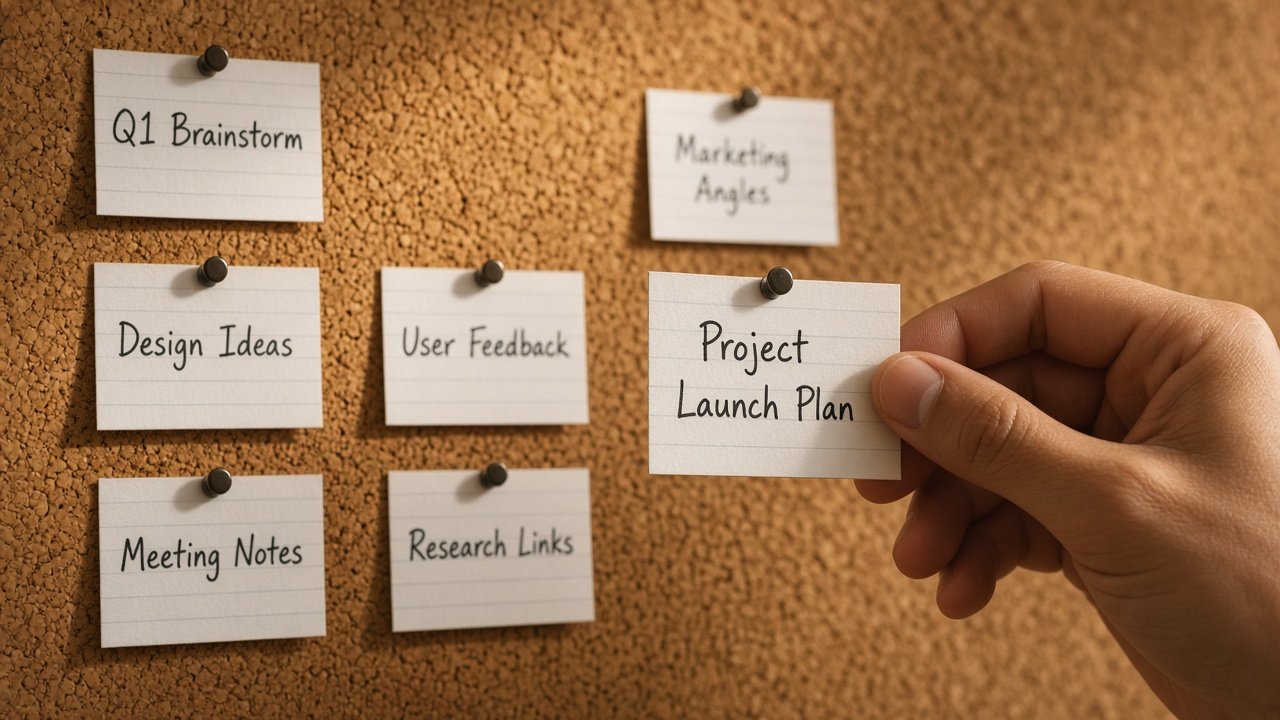
- Project names: noun + job — “Acme retainer,” “TBSI newsletter,” “Hiring eng.”
- Chat names: verb + artifact — “Draft Oct brief,” “Fix pricing FAQ,” “Scorecard v1.”
- Don’t: “misc,” “ideas,” “final_final2.”
OpenAI’s examples look like outcome titles on purpose. Match that habit in Claude too.
Failure modes I see every week
- One mega-Project called “Work” — you’ve rebuilt the junk drawer with a nicer label. Split by job.
- One endless chat — research, draft, and edits in a single thread. Split outcomes; keep Project files for continuity.
- Instructions in your head only — if you re-explain the audience every Monday, they belong in Project instructions.
- Secrets in the knowledge base — Project files are convenient and sticky. Don’t upload customer PII “just for context.” Use the privacy checklist.
- Assuming Claude chats inherit each other — they don’t. Promote decisions into knowledge or you’ll keep re-pasting.
What I’d do this week
- Create two Projects max (one work lane, one personal lane) — resist twenty empty shelves.
- Move or recreate your three most-reused chats into those Projects.
- Paste standing instructions; upload ≤5 core files.
- Export or copy the last “keeper” answer into a real doc.
- For tool choice beyond Projects, see ChatGPT vs Claude vs Gemini; for privacy, don’t paste private data.
FAQ
Should every chat live in a Project?
No. One-off questions can stay outside. Create a Project when work continues, needs shared files, or will produce more than one output (OpenAI Learn).
Why does Claude “forget” what we did in another chat in the same Project?
By design unless that info is in the knowledge base. Add the brief, glossary, or decision log to knowledge.
I’m on Claude Free — is five Projects enough?
Yes if you’re ruthless: archive finished work; don’t open a Project for every whim.
ChatGPT Free file limit feels tiny.
It is (Help: 5/project). Split big libraries across Projects or upgrade when the job is real.
Is this the same as Claude for Google Docs?
No. That’s editing inside a Google file. Projects organize chats and context. Different door.
Read next: Weekly AI workflow · Prompting that works · ChatGPT vs Claude vs Gemini
Sources
- OpenAI Learn — Projects and chats
- OpenAI Help — Projects in ChatGPT
- Claude Help — What are projects?
- Claude Help — How can I create and manage projects?
Leave a Reply