Quick answer: Stop opening a blank chat every time you need something. Run one weekly loop — research → outline → draft → edit → ship (one step per workday) — inside a saved Project (ChatGPT or Claude) with standing instructions, and park source-heavy research in Gemini Notebook when you need citations from your own files. Same five steps every week. That’s how AI becomes a habit instead of a lottery.
Skip this if you only ask one-off trivia questions. Keep reading if you write, brief, report, or plan on a recurring cadence and your chat history is a junk drawer.
Why a weekly loop beats “just prompt better”
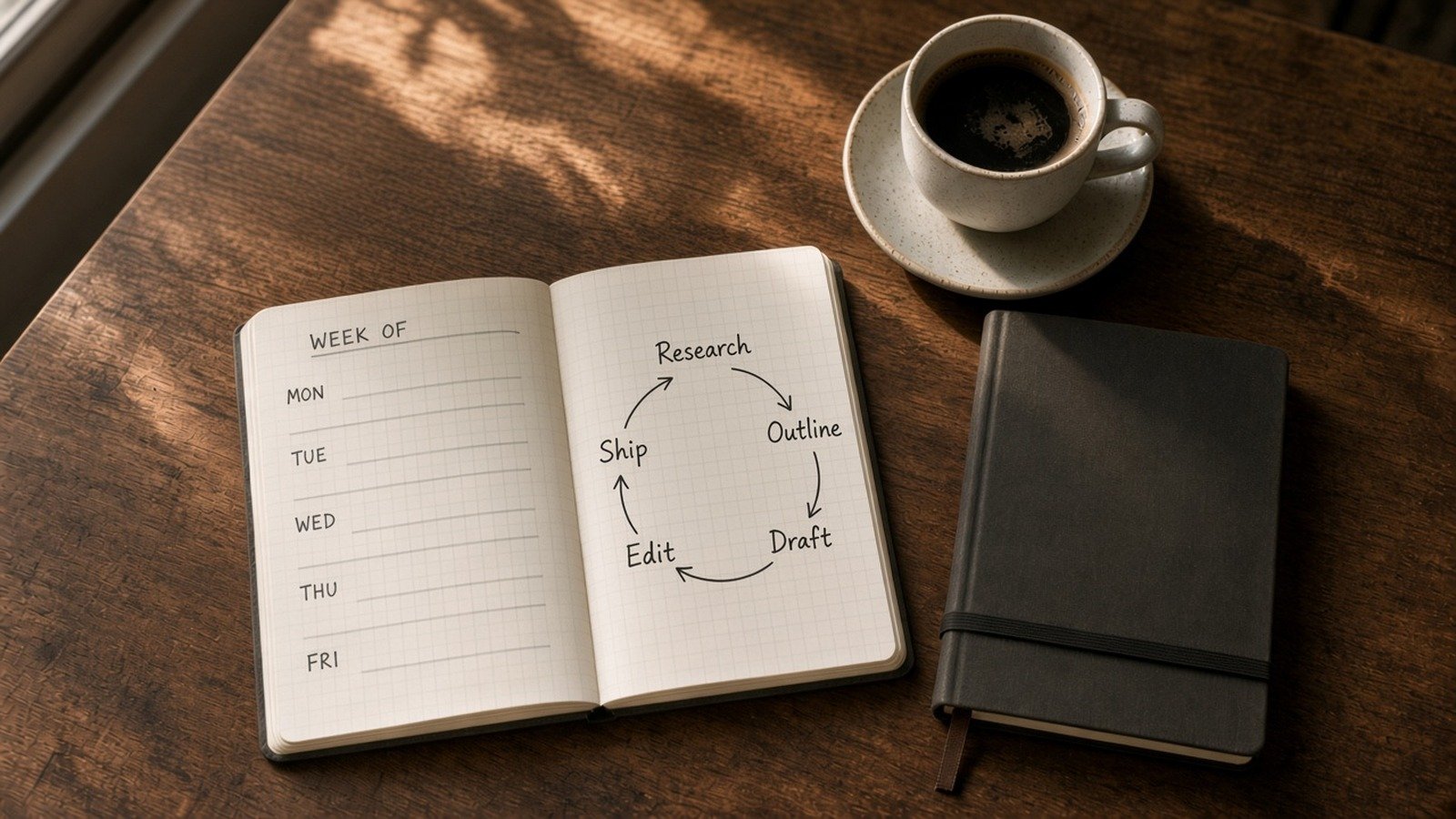
Prompt skill matters (I wrote that guide already). But the traffic that lasts — for you and for this site — comes from systems people reopen. OpenAI literally positions Projects for “repeated and evolving work such as writing, research, planning.” Anthropic’s Projects do the same job: a workspace with its own files, instructions, and chats. Google’s Gemini Notebook (NotebookLM) is the source-grounded research lane.
My rule: one project per recurring job (weekly brief, newsletter, client update), not one chat per mood.
Setup once (15–20 minutes)
1) Create a Project for the recurring job
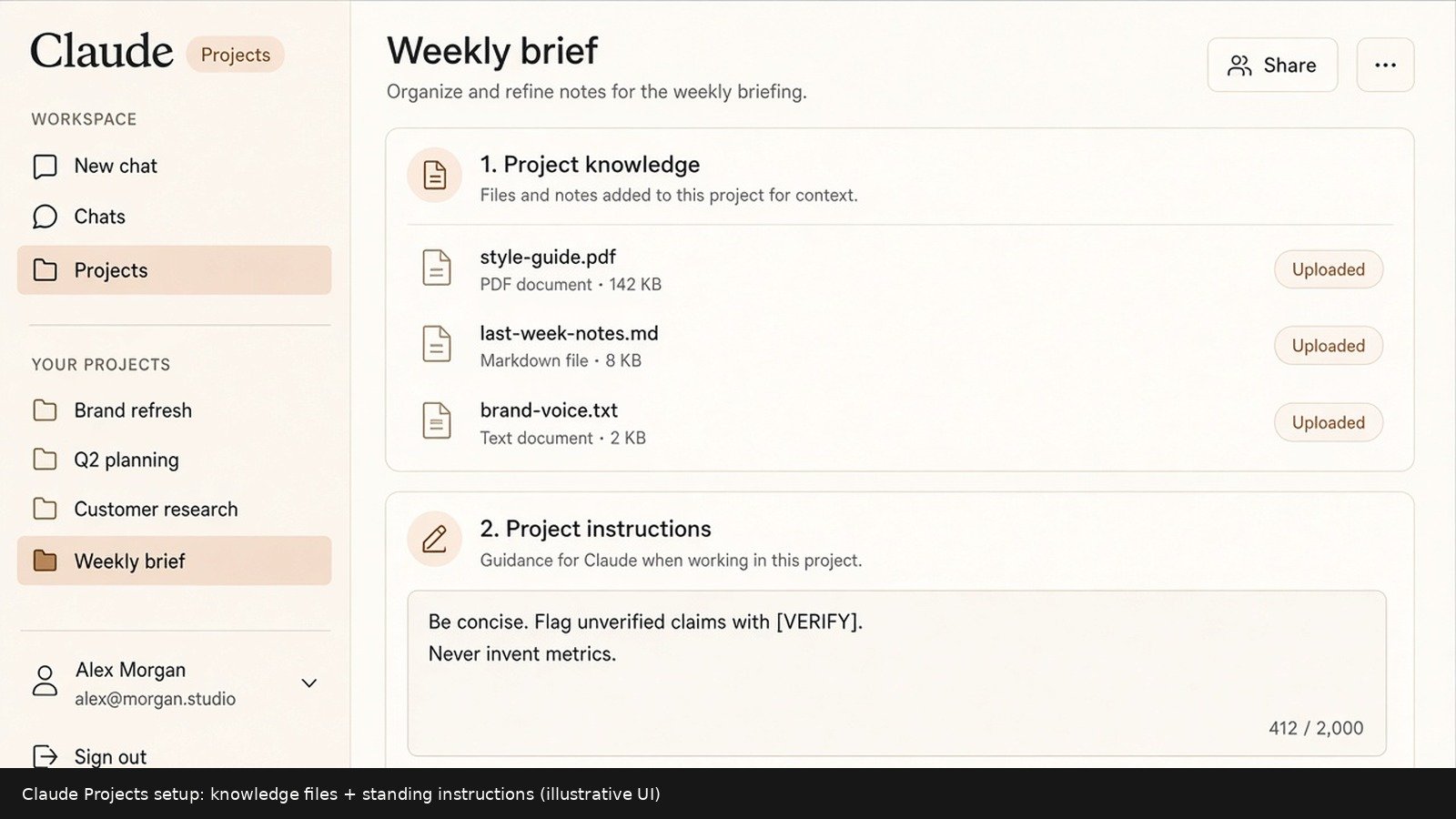
ChatGPT — OpenAI Help: New project in the sidebar → name it → upload reference files → Project settings → instructions. Projects are available on free and paid plans; file caps depend on plan (OpenAI currently lists Free: 5 files/project; Go/Plus: 25; Edu/Pro/Business/Enterprise: 40). Project instructions override your global Custom Instructions inside that project.
Claude — Anthropic Help: Projects at claude.ai/projects → New Project → add knowledge files → set project instructions. Free users can create up to five projects. Paid plans can expand large knowledge bases with RAG automatically when you approach context limits.
Gemini Notebook — for the research phase when you have PDFs/Docs/links and want answers grounded in those sources. Google Help (standard access): up to 100 notebooks, 50 sources each, 500,000 words or 200MB per source — limits move; re-check Help before you plan a library.
2) Paste standing instructions (copy this)
You are my weekly work partner for [JOB: e.g. client status / newsletter / research brief].
Audience: [who reads the final output].
Tone: clear, direct, no hype.
Always:
- Separate facts from suggestions
- Flag anything unverified with [VERIFY]
- Ask me one clarifying question if a decision is missing
Never:
- Invent metrics, quotes, or sources
- Paste or request secrets (passwords, private customer data)
Output default: tight bullets unless I ask for prose.
That block lives in the Project — not in your head every Monday.
3) Decide the tool map (blunt)
| Phase | Default tool | Why |
|---|---|---|
| Research / source dump | Gemini Notebook or Project files | Notebook stays close to uploaded sources; Projects keep files + chats together |
| Outline + structure | ChatGPT or Claude Project | Fast iteration with standing instructions |
| First draft | Same Project (new chat) | Don’t pollute research threads with draft noise |
| Edit / cut / voice | Claude Project (my preference) | Strong at “keep my voice, don’t add claims” |
| Ship checklist | You (human) | Links, names, numbers, legal — verify offline |
If you only want one paid app: pick one Project home and stay there. Switching tools mid-week is optional flavor, not a requirement. For “which free app when,” see ChatGPT vs Claude vs Gemini.
The five-day cadence
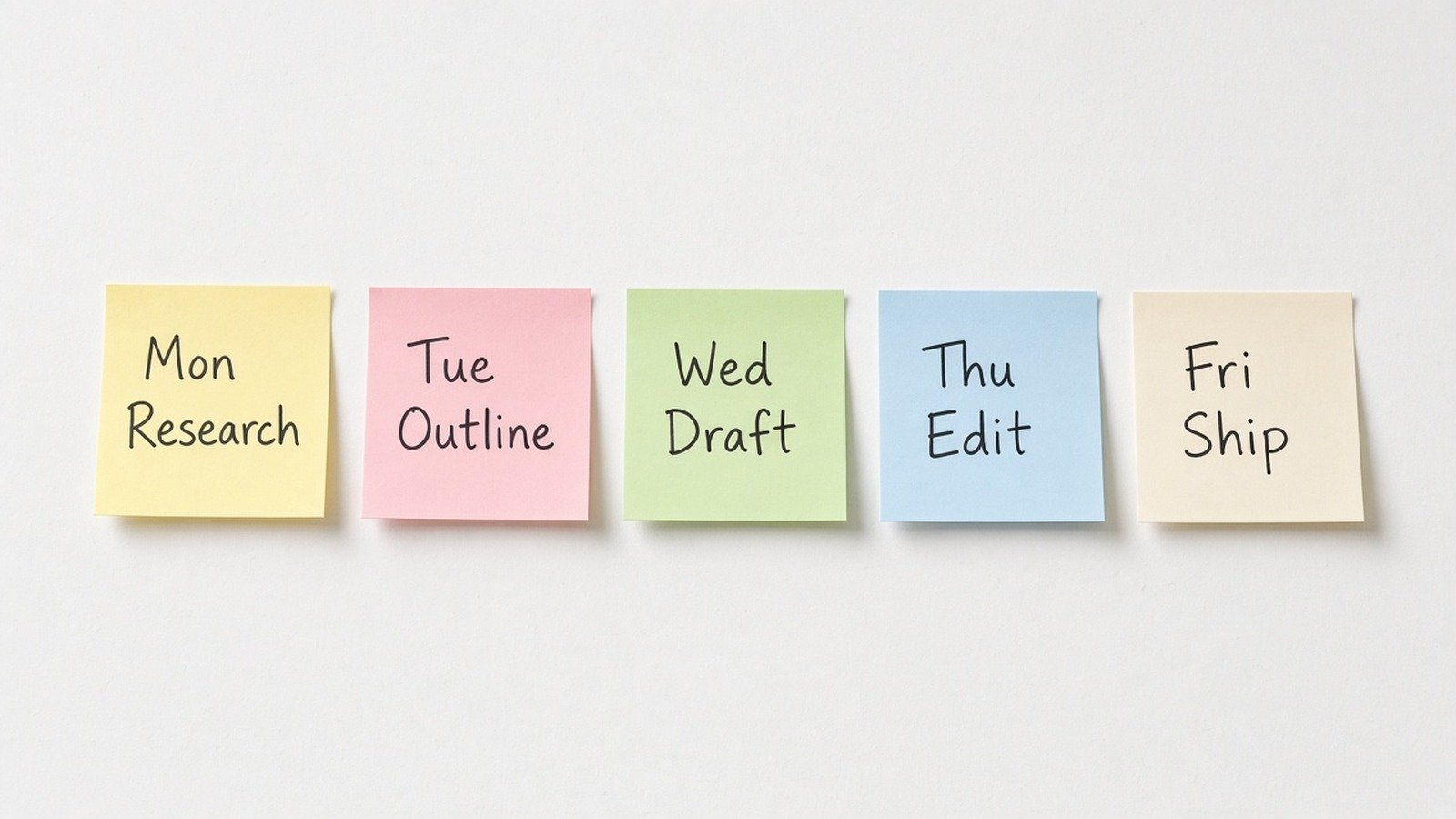
Monday — Research (gather, don’t write)
Outcome: A source pack I can outline from without inventing facts.
Constraints: Only use material I provide or that you clearly mark as [WEB-UNVERIFIED].
Format:
1) 8–12 bullets of findings (each with source label)
2) 5 open questions
3) What to ignore this week
Context:
[paste links, notes, or “use project files / notebook sources”]
In Gemini Notebook: create/open the notebook, add sources first, then ask questions so answers stay grounded. In a ChatGPT/Claude Project: upload the PDFs once; reuse them every Monday.
Tuesday — Outline
Outcome: A 7-point outline I can draft from tomorrow.
Audience: Me.
Constraints: Do not add claims that aren’t in Monday’s findings. Mark gaps [VERIFY].
Format: Numbered outline, one line each, plus a one-sentence thesis.
Context: [paste Monday findings]
Use the prompt skeleton from prompting that actually works — outcome, audience, constraints, format, context.
Wednesday — Draft
Outcome: A full first draft matching Tuesday’s outline.
Constraints: No new facts. Short paragraphs. Working title + H2s.
Format: Markdown draft I can paste into my editor.
Context: [paste outline + any must-include quotes]
Start a new chat inside the same Project so the draft doesn’t bury Monday’s research thread.
Thursday — Edit
Outcome: A clearer draft that keeps my voice.
Constraints: Cut repetition. Don’t add claims. Don’t make it sound like a press release.
Format:
1) 5 weak spots (quote the phrase)
2) Revised full draft
Context: [paste Wednesday draft]
This is where Claude often earns its keep — but any model works if the constraints are sharp.
Friday — Ship (human gate)
- Check every
[VERIFY]and every number - Strip anything you wouldn’t put on a public page
- Publish / send / file it
- Drop a three-line “what worked / what broke” note into the Project for next Monday
Outcome: A 5-bullet retro for next week’s Project memory.
Format: Worked / Broke / Keep doing / Stop doing / One experiment.
Context: [what you shipped]
Privacy checkpoint (non-negotiable)
Projects and notebooks are sticky — files sit there for weeks. Don’t upload payroll, customer PII, unpublished strategy, or credentials “just for context.” OpenAI notes that on consumer plans, project data may be used to improve models if “Improve the model for everyone” is on — check your Data Controls. Same hygiene as use AI without pasting private data.
If you’re on Gemini Skills for reusable slash prompts, park process skills there and keep sensitive facts out — see Gemini Skills replace Gems.
What I’d do this week
- Create one Project named after the recurring deliverable (not “General AI”).
- Paste the standing instructions block above.
- Run Mon–Fri once on a real piece of work — even a short internal update.
- Save the five prompts in the Project or a notes app you’ll actually open.
- Next week: don’t reinvent — reopen the Project.
if job_repeats_weekly:
    put_it_in_a_Project_with_instructions()
    research_then_outline_then_draft_then_edit()
    human_verify_before_ship()
else:
    use_a_normal_chat  # Projects are for loops, not trivia
Do I need ChatGPT, Claude, and Gemini Notebook?
No. One Project home is enough. Add Notebook when your research is source-heavy and you want grounded Q&A. Add a second model only when edit quality plateaus.
Isn’t this just “use Projects”?
Projects are the container. The weekly loop is the habit. Containers without cadence still rot into junk drawers.
What about SI / Super Intelligence branding?
Same tools, new label fight. The workflow doesn’t care what Washington calls the category — see what SI means if the rename still confuses search results.
How do I keep coming back without willpower?
Calendar block the five days (even 25 minutes). Reopen the same Project URL. Optional later: ChatGPT scheduled tasks / Claude schedules if your plan supports them — only after the manual loop works.
Sources
- OpenAI Help — Projects in ChatGPT (primary)
- OpenAI Help — Custom Instructions (primary)
- Claude Help — What are projects? (primary)
- Claude Help — Create and manage projects (primary)
- Google Help — Create a notebook in Gemini Notebook (primary)
- Google Help — Gemini Notebook FAQ / limits (primary)
Published Oct 2, 2026. File caps and plan names move — re-check vendor Help before you promise a team rollout.
Leave a Reply